Products InterphoneCloud intercom system AccessDoors, lifts & gates Schonell AppOne app for every resident PricingExplore pricing Company ContactTalk to our team Manager LoginSchonell Manager portal Designed & made in Singapore · Since 2014
Interphone Concierge on the guardhouse iPad: visitors expected today, visitors who have arrived, and doors to open
Today

Interphone Concierge The whole guardhouse, on one iPad.

Designed & made in Singapore Since 2014

The guard intercom that runs on one iPad: visitors, deliveries, vehicle checks, calls and doors, all at the guard post. It works with your lobby intercom and your residents’ app as one system, so there is nothing to link up.

iPad included with Interphone CloudOne system with your intercomPrivacy built in
01

One screen for the whole guard post.

Who is expected, who has arrived, and every door, the moment the guard looks up.

02

A rider arrives. Two taps and a unit number.

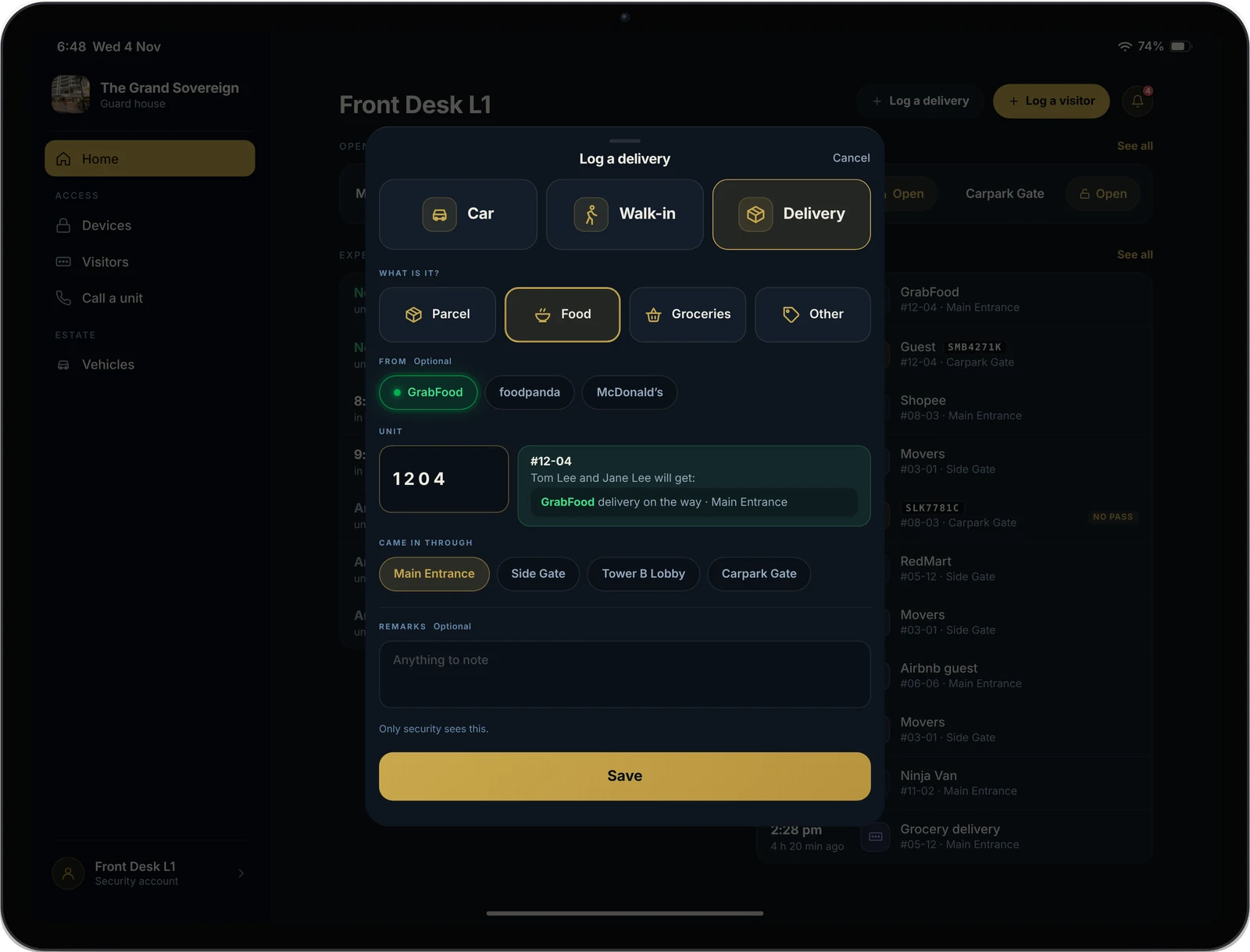
Food, parcel or groceries, then the unit. GrabFood, foodpanda, Shopee and more are one tap away.

03

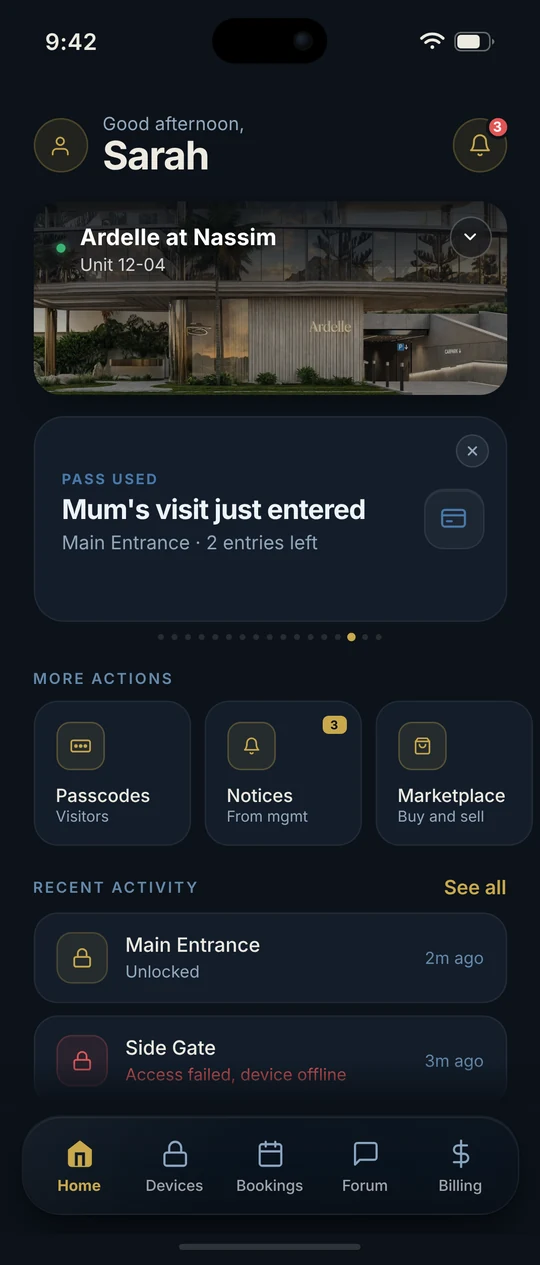
The resident knows straight away.

Their phone lights up before the rider reaches the lift. The delivery is on record at the guardhouse.

04

Need to check? Call the unit.

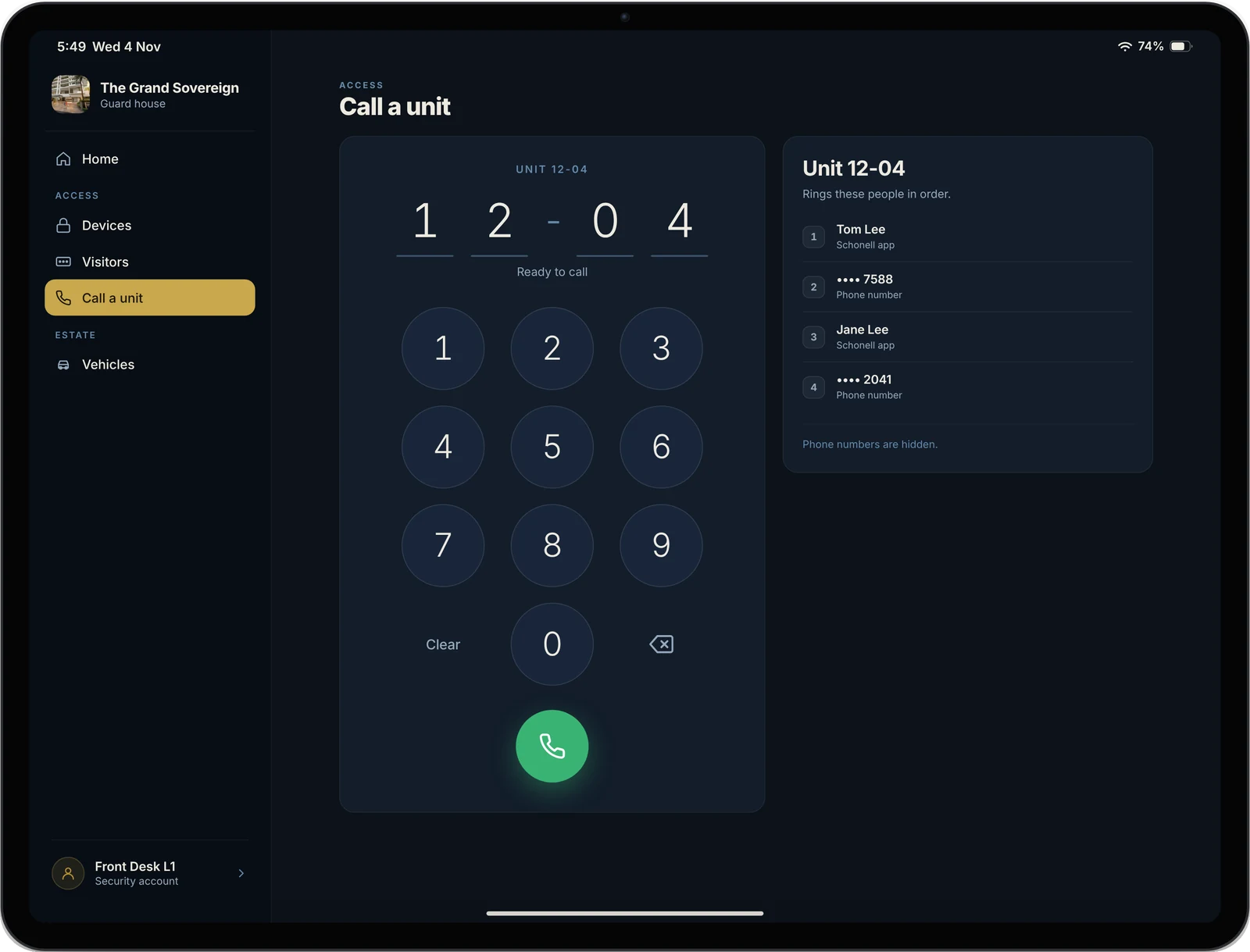
On the Schonell App or any phone number, in the same order as the lobby panel.

05

Every car, on record.

Resident cars, visitor cars and season parking, one search away at the gate.
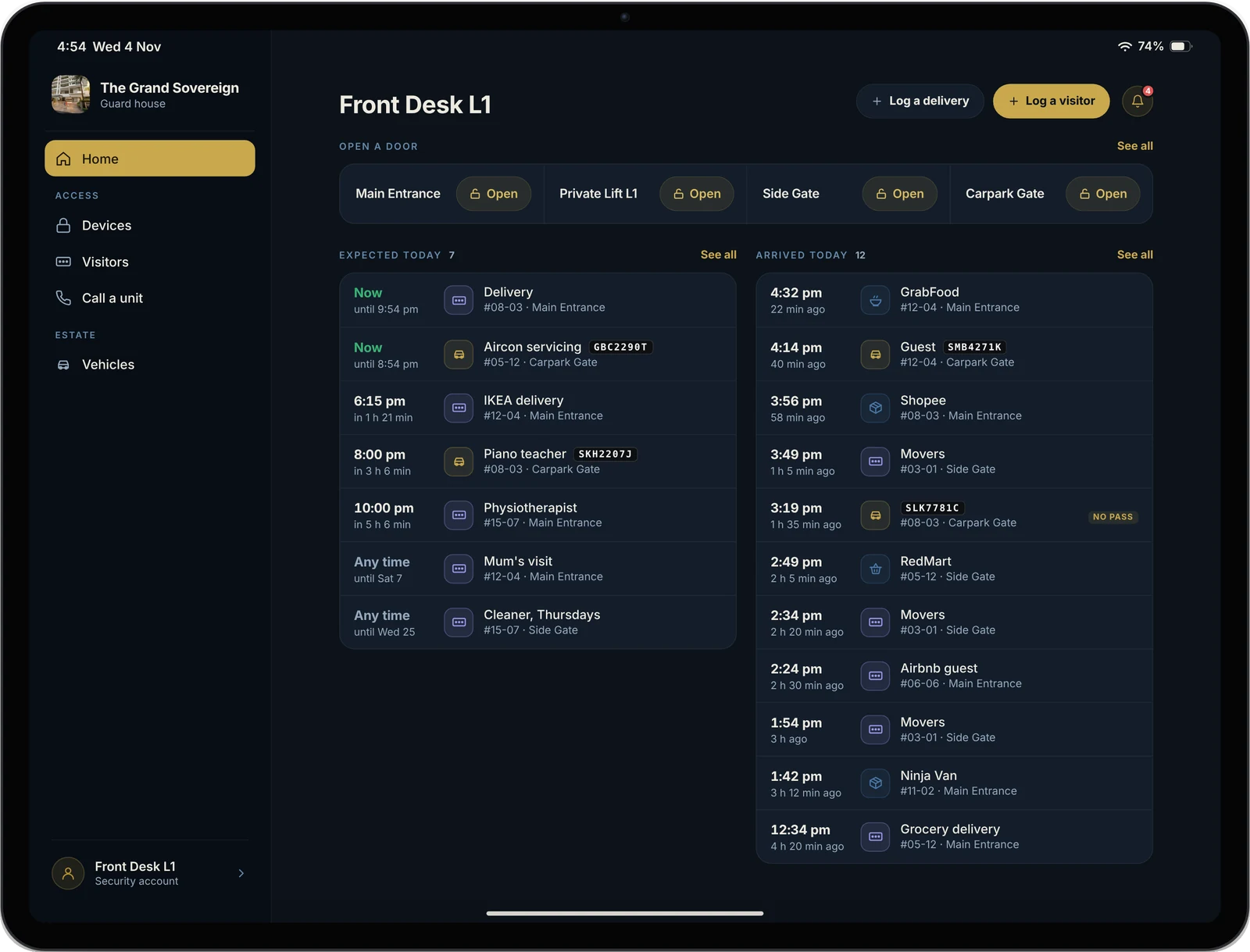
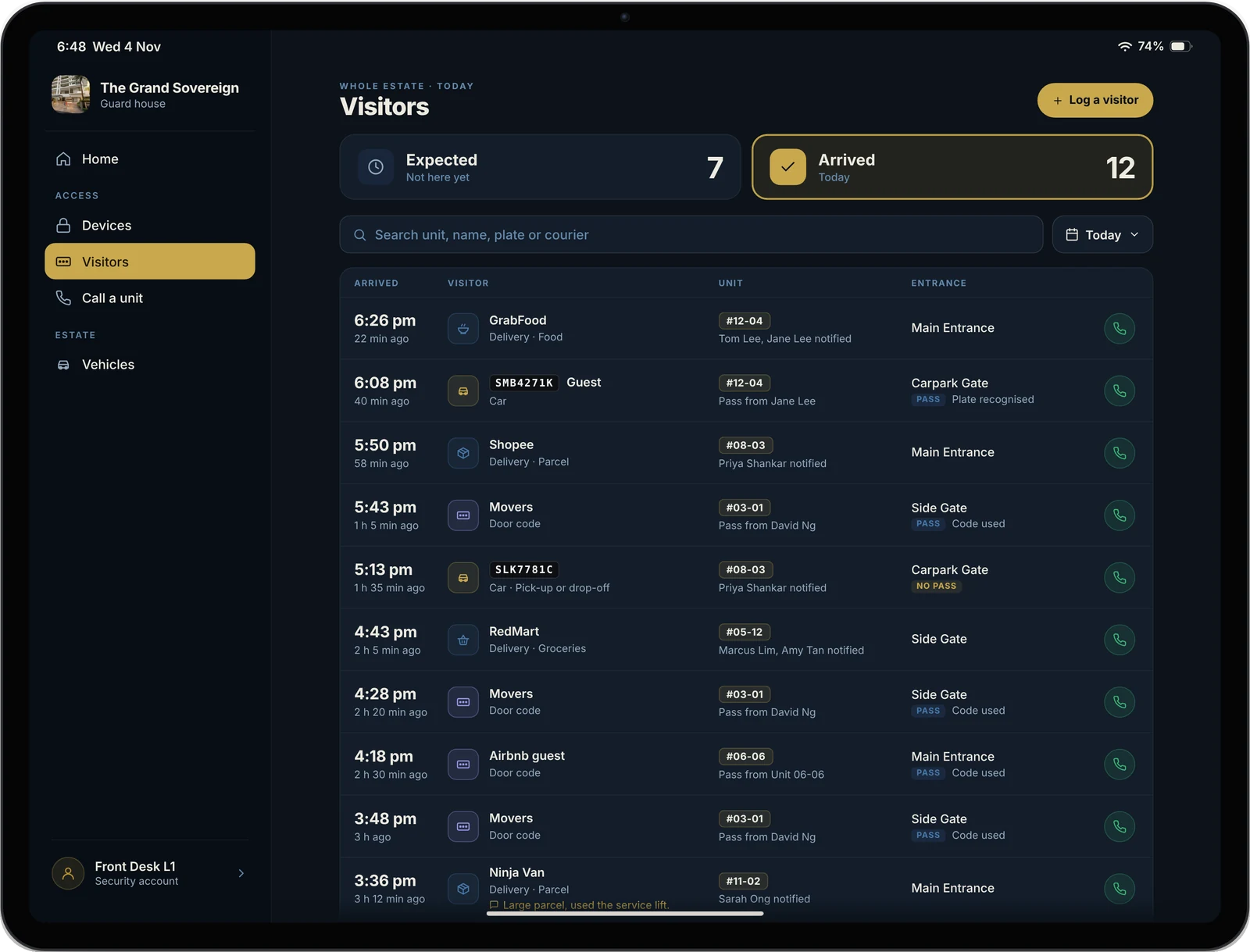
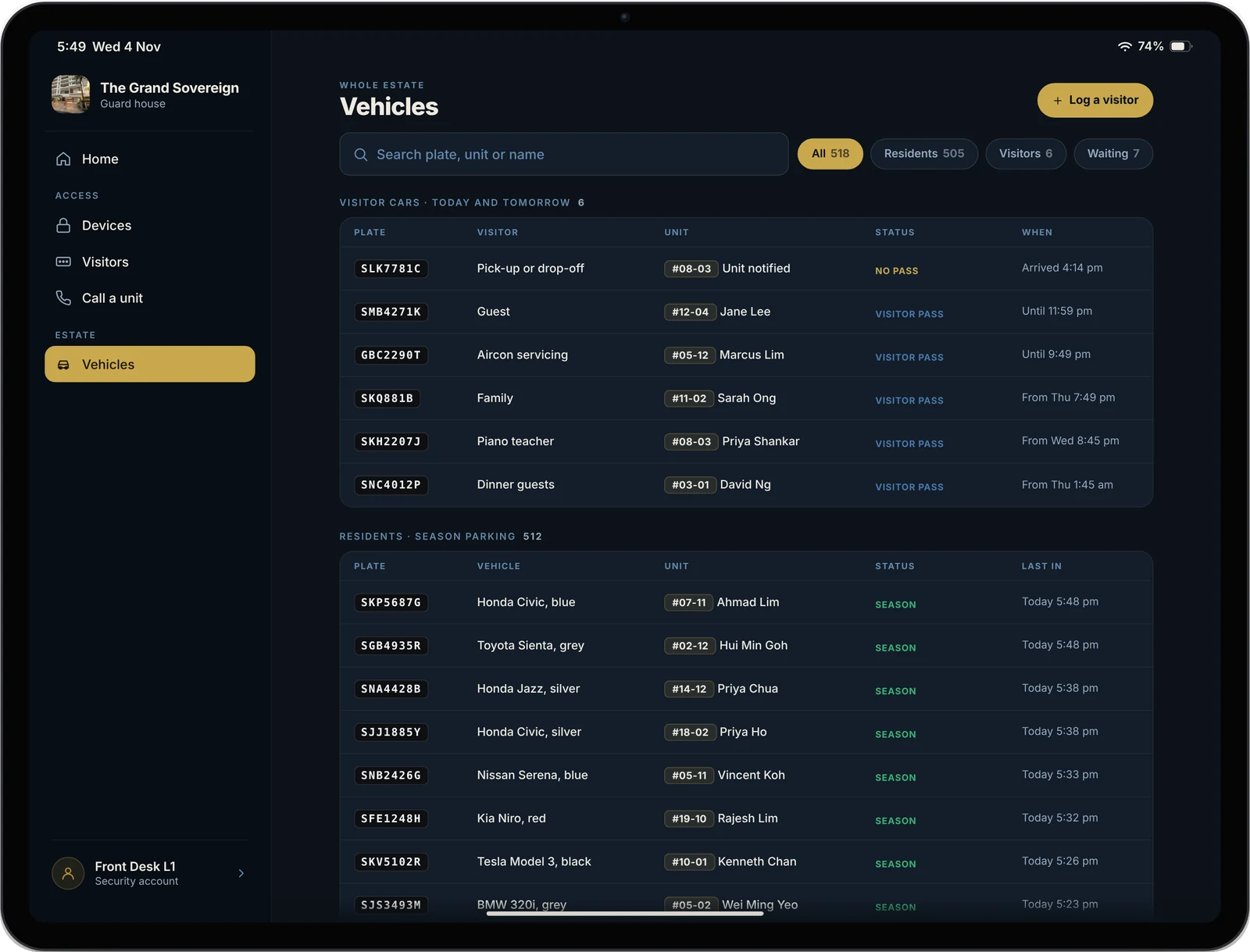
Home screen: visitors expected today, visitors who have arrived, and doors to open Logging a GrabFood delivery for unit 12-04, with the message the residents will get Everyone who arrived today, newest first, deliveries included Calling unit 12-04, with the people who will ring in order Every registered car, with today's visitor cars first
Wednesday 4 November
9:43
GrabFood delivery on the waynow
Main Entrance · #12-04
A guard’s day

Four jobs.
One screen for each.

Built around what a guard actually does, in the order they do it.

1

A car arrives at the gate

Is it expected? Is it a resident’s car? Every pass residents made, and every registered car, is one search away.

2

A visitor arrives without a pass

Type the car plate and the unit number, then Save. The unit gets a message on their phone straight away.

3

A delivery arrives

Food, parcel or groceries, then the unit number. The resident knows it is on the way before the rider reaches the lift.

4

A lobby calls security

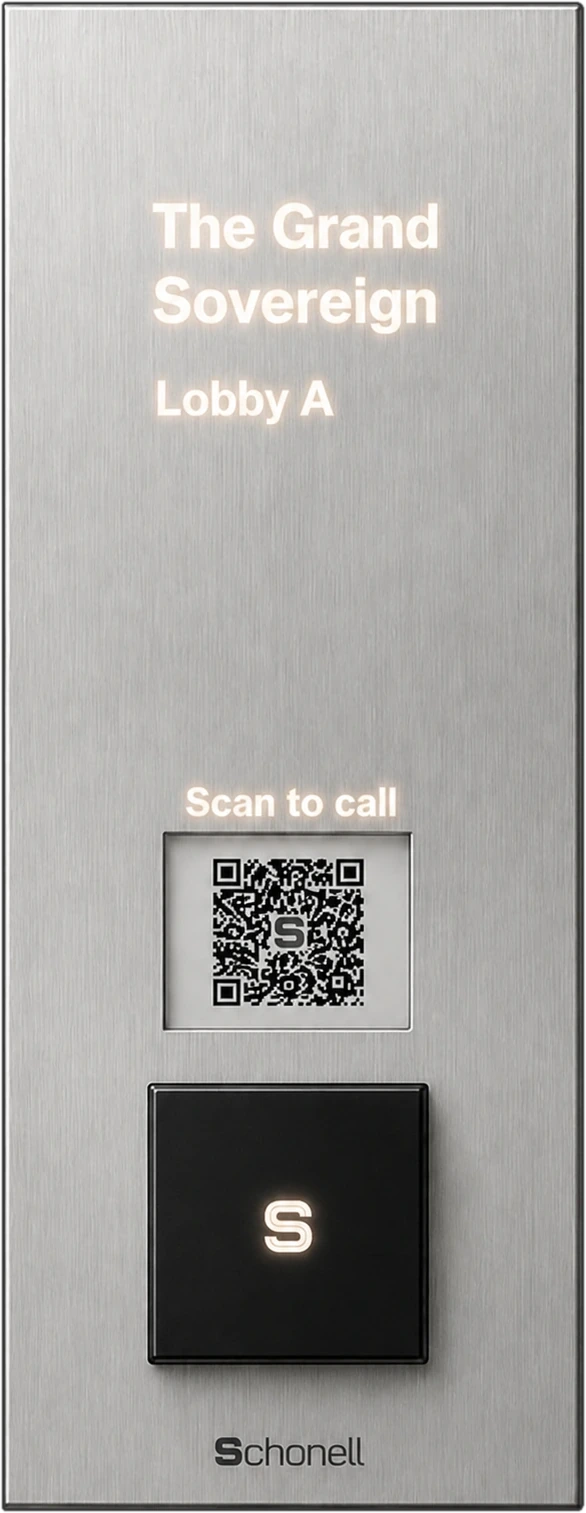
“Contact Security” on every lobby panel rings the iPad. The guard can call any unit from it too.

The screens

Simple enough
for any guard.

Big buttons, plain words, and nothing on screen that the guard doesn’t need. Many guards are not used to apps, so every screen asks for as little as possible.

Visitors screen, Arrived tab: every visitor and delivery today, newest first, with a No pass tag on a visitor logged by security
Visitors

Who is coming, and who is here

Two tabs. Expected lists every visitor residents have made a pass for, in time order. Arrived lists everyone who came in today, deliveries included, newest first.

  • Search by unit, name, car plate or courier
  • Look back at any day in the last 90 days
  • Has this car been here before? One tap to find out
Log a delivery: Food from GrabFood, unit 12-04, and a green box showing Tom Lee and Jane Lee will get: GrabFood delivery on the way
Log a visitor or a delivery

Two taps, a unit number, Save

For a car with no pass, a walk-in or a delivery. As the guard types the unit, the iPad shows who will get the message. If nobody in the unit has the app, it says so, with a button to call them instead.

  • Warns when a car already has a pass, or belongs to a resident
  • Remarks are for security only and are never sent to the unit
  • A van dropping off for several units? Log the next one in a tap
Calls

Call any unit, on any phone

Type the unit and press the green button. The iPad rings the residents in turn, in the same order as the lobby panel. On the Schonell App, residents see the guard on video while their own camera stays off. Even without the app or a smartphone, it rings their mobile or home phone, so every unit can be reached.

  • One-way video: residents see who’s calling, their camera stays off
  • Reaches residents with or without the app
  • “Contact Security” on every lobby panel rings here
  • Phone numbers are always hidden from the guard
  • Calls nobody answered are listed, so the guard can follow up
Vehicles screen: visitor cars for today and tomorrow, then resident cars with season parking status
Vehicles

Check any car at the gate

Every registered car at the estate, with visitor cars for today shown first. Type part of a plate, a unit, or a floor number, and the answer is on screen.

  • Resident cars with their season parking status
  • A plate that isn’t registered? Log it in one tap
  • Designed for estates of 500+ units
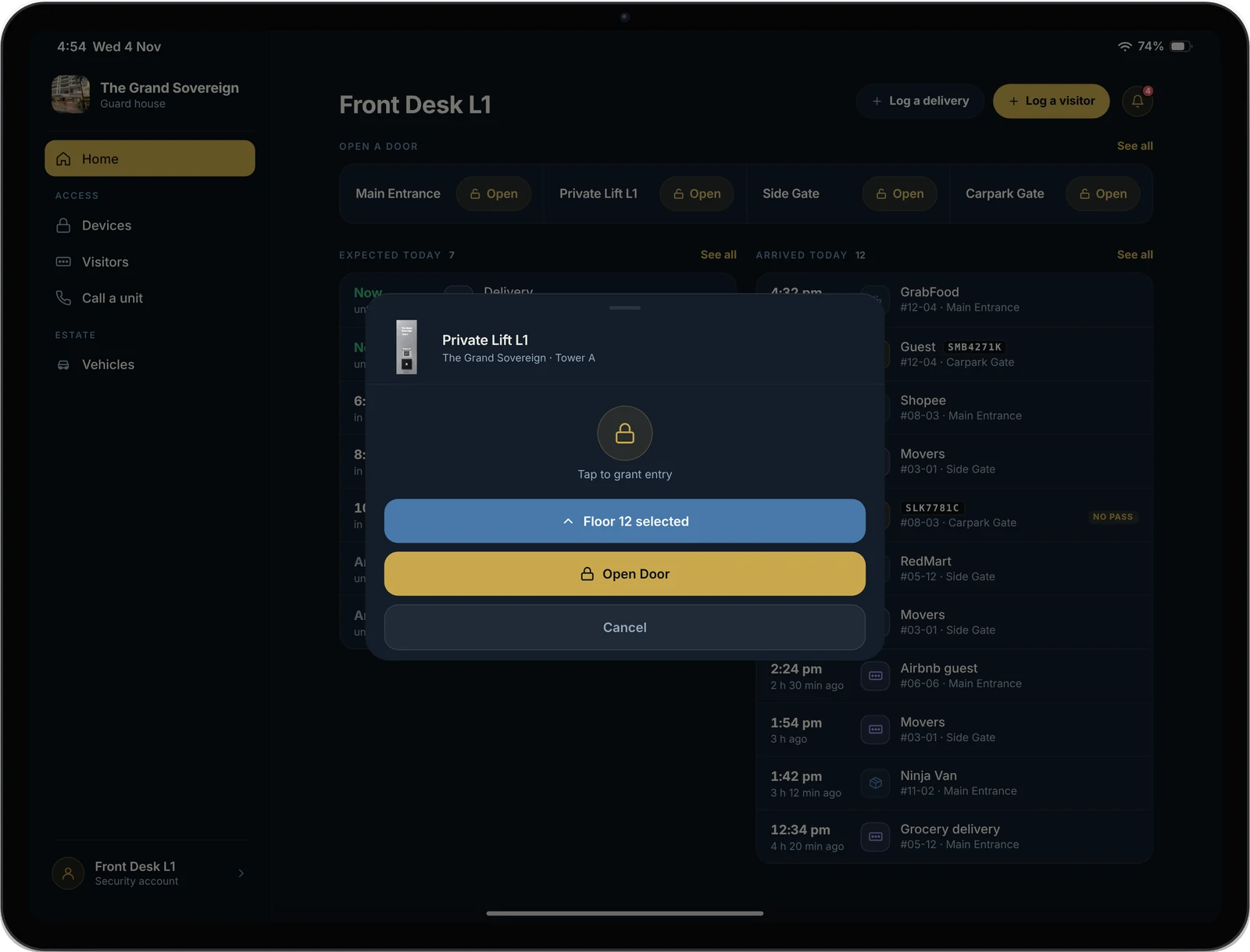
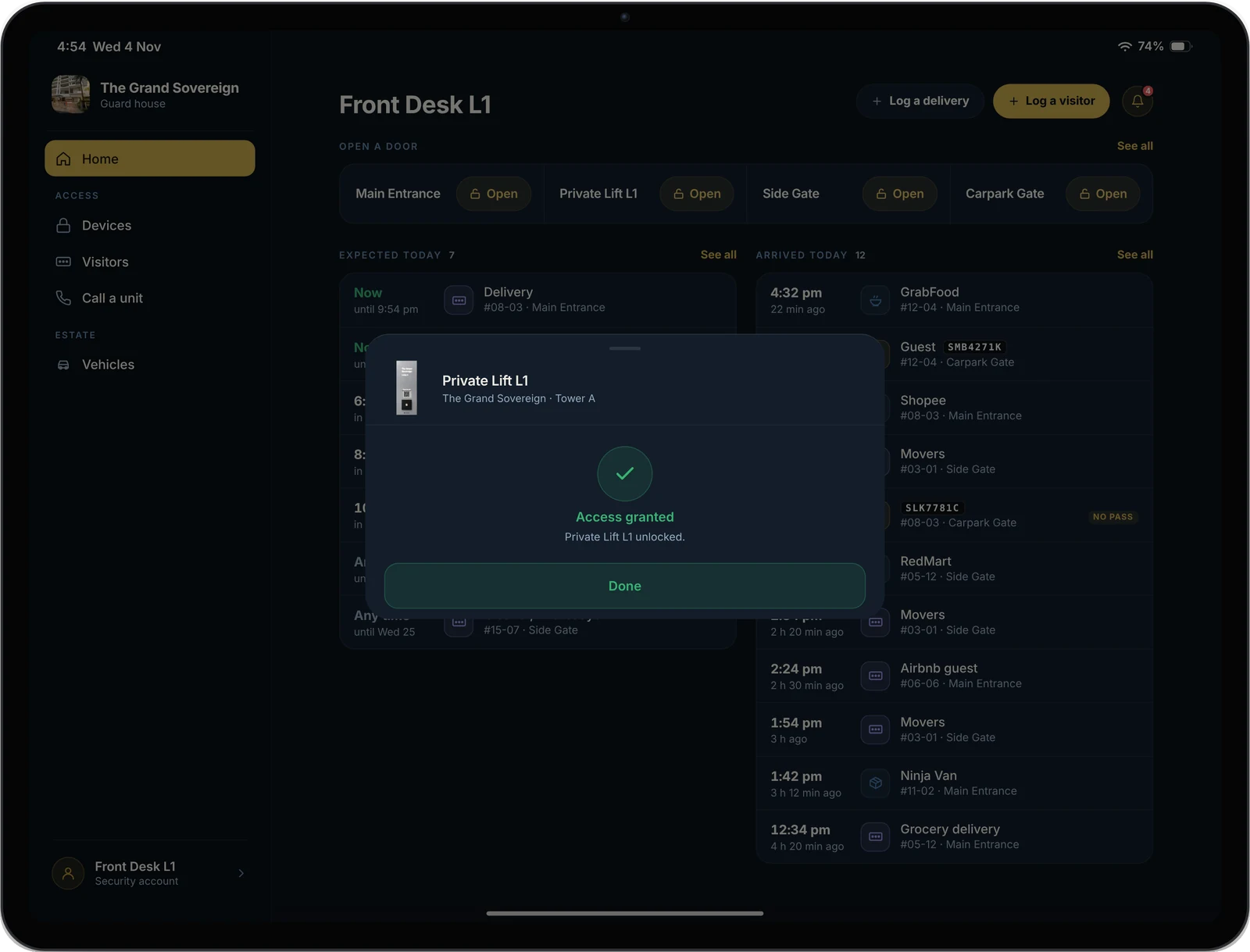
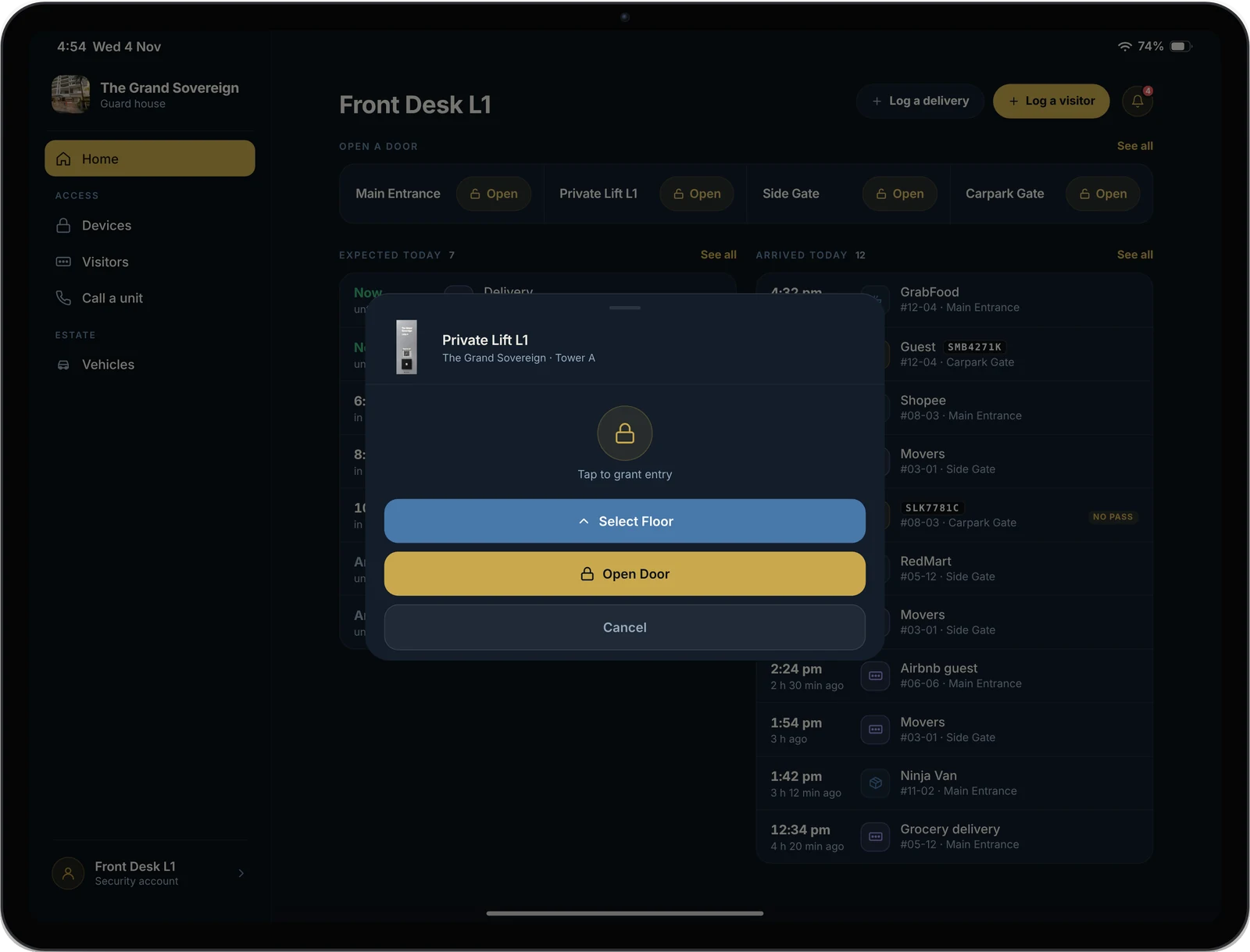
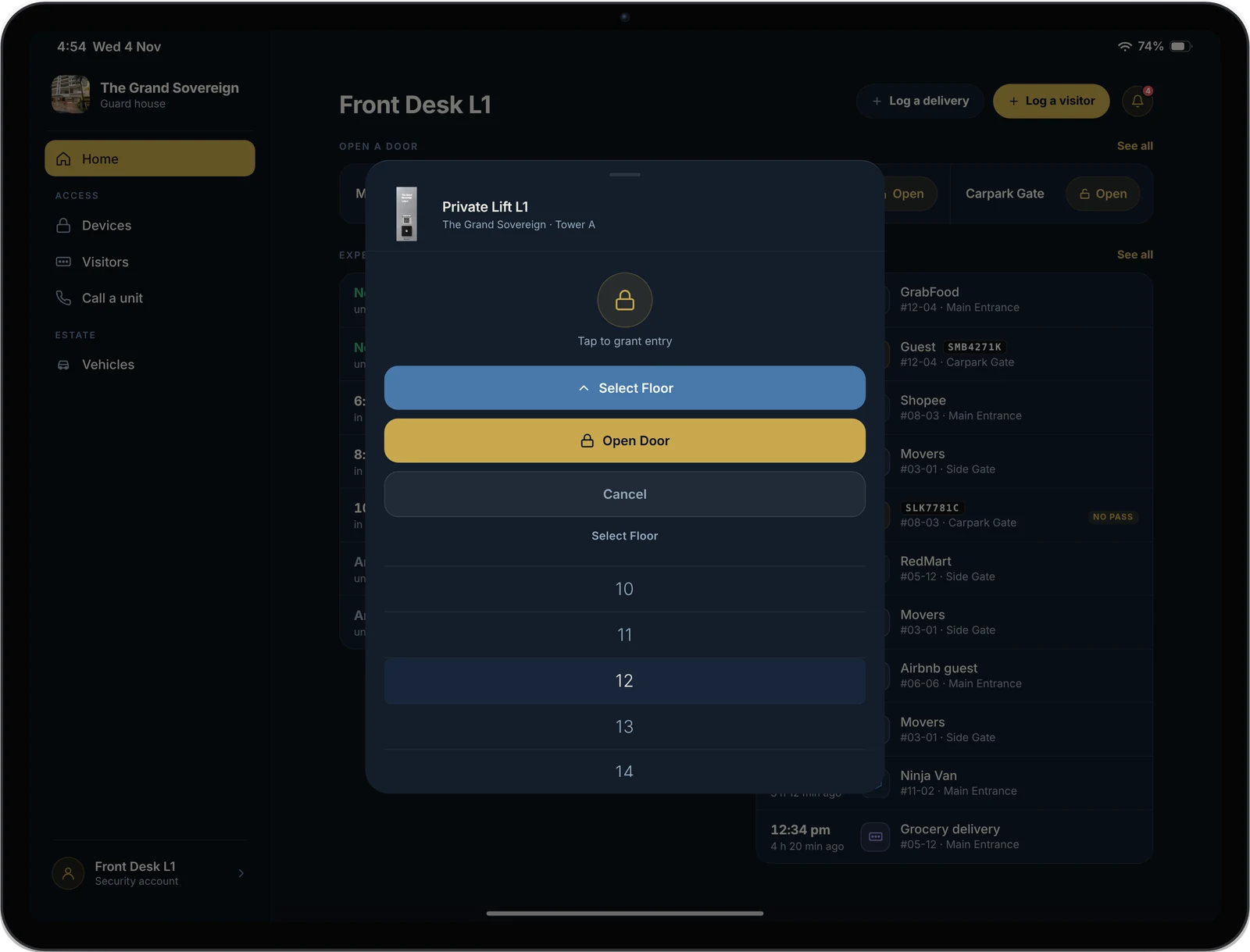
The guard taps Private Lift L1 The floor list, with floor 12 chosen Floor 12 selected, ready to open Access granted for Private Lift L1
1Tap the lift2Pick the floor3Floor 12 selected4Access granted
Doors & lifts

Send a lift to one floor

Every door, gate and lift on Schonell Access or Interphone Cloud opens from the guard’s iPad. For private lifts, the guard picks the floor first, so a visitor goes only to the home they are visiting.

  • Main entrance, side gates, carpark gate and lifts
  • Pick any floor for a private lift
  • Every opening is recorded
Everything works together

One system.
Every situation at the gate.

The lobby panel, the guardhouse iPad and your residents’ phones are parts of one Schonell system. Pick a situation and watch how they work together.

  1. Lobby & gateA visitor arrives at the gate without a pass.
  2. Guardhouse iPadThe guard taps Log a visitor, enters the name or car plate, and the unit.
  3. Guardhouse iPadBefore saving, the iPad shows which residents will be told.
  4. Resident’s phoneThe residents get a message on their phone straight away.
  1. Guardhouse iPadThe guard types the unit number and presses Call.
  2. Resident’s phoneThe resident’s phone rings, through the Schonell App or their registered number.
  3. Resident’s phoneThe resident confirms they are expecting the visitor.
  4. Guardhouse iPadThe guard opens the gate from the iPad. The opening is recorded.
  1. Resident’s phoneThe resident creates a visitor pass in the Schonell App.
  2. Guardhouse iPadThe visitor appears in the guard’s Expected list, with when the pass is valid.
  3. Lobby & gateThe visitor arrives and enters with their pass.
  4. Guardhouse iPadThey move to Arrived on the iPad, tagged PASS.
  1. Lobby & gateA GrabFood rider arrives with an order for #12-04.
  2. Guardhouse iPadThe guard taps Log a delivery, then Food and GrabFood, then the unit.
  3. Resident’s phoneThe resident gets “GrabFood delivery on the way” on their phone.
  4. Guardhouse iPadThe delivery is listed in Arrived, searchable for 90 days.
  1. Lobby & gateA visitor presses Contact Security on the lobby panel.
  2. Guardhouse iPadThe guardhouse iPad rings, with the caller on screen.
  3. Guardhouse iPadThe guard talks to the visitor and opens the door if needed.
  1. Resident’s phoneThe resident creates a pass for their cleaner, valid for several days.
  2. Guardhouse iPadThe cleaner shows in the guard’s Expected list as Any time, until the pass ends.
  3. Lobby & gateThe cleaner arrives on any of those days and enters with their pass.
  4. Guardhouse iPadThe visit is recorded in Arrived, with the time they came in.
  1. Lobby & gateA car pulls up at the barrier.
  2. Guardhouse iPadThe guard types part of the plate into Vehicles.
  3. Guardhouse iPadNot registered and no pass: the iPad offers Log this car.
  4. Guardhouse iPadThe guard logs the car against the unit it is visiting.
  5. Resident’s phoneThe residents of that unit are told straight away.

No separate systems to coordinate. One company makes it and supports all of it.

Privacy

Guards see what they need.
Nothing more.

Resident data is hosted in Singapore, and every screen limits what a guard can see.

No door codes on screen

Guards never see residents’ visitor codes. If a visitor has lost theirs, the guard calls the unit.

NRIC numbers shortened

If a guard types a full NRIC number into the remarks, the iPad shortens it to the last four characters.

Phone numbers hidden

The guard can call a resident’s phone without ever seeing the number.

Residents’ passes stay theirs

Guards can see passes, but can’t create, change, share or cancel them.

Interphone Concierge

Supplied, set up
and looked after.

Schonell supplies the iPad, sets it up for your estate and keeps the app up to date. Your guards sign in and start work.

iPad supplied by Schonell, no upfront cost
Set up with your estate’s doors and units
App updates included
Runs on Wi-Fi, or 5G if there’s none

Included with Interphone Cloud: S$199 a month per estate, plus S$1.99 per home. No iPad for your estate to buy. See pricing →

Talk to sales
1
iPad for the whole guardhouse
Visitors and deliveries
Calls to and from every unit
Every registered car
Doors, gates and lifts
FAQ

Frequently asked questions

Yes. The iPad is supplied by Schonell as part of your Interphone Cloud subscription, with no upfront hardware cost. There is nothing to buy.

Schonell does, like the rest of the equipment supplied with your subscription. Loss or damage at the guardhouse is the estate’s responsibility.

A power point and an internet connection at the guard post. Most estates use the guardhouse Wi-Fi. If there is none, we can supply a 5G iPad that uses the estate’s own SIM card. Our authorised distributor checks this during the site inspection.

We can supply an iPad with built-in 5G, so it connects over the mobile network and needs no Wi-Fi at all. The estate provides the SIM card and its mobile data plan. The estate provides the SIM card and its mobile data plan. Or a Wi-Fi access point can be added during installation.

Yes. The guard types the unit number and presses call. The iPad rings the residents in turn, in the same order as the lobby panel: on the Schonell App with one-way video, or on their phone. Phone numbers are never shown to the guard.

The iPad tells the guard as soon as they type the unit number, with a button to call the unit instead. Calls reach residents on their phone number as well as the app.

Yes. Guards see the visitors residents are expecting today, and log walk-in visitors and deliveries in a few taps. Residents are told on the Schonell App when their visitor or delivery arrives.

Yes. The guard types a car plate to see whether it is registered and which unit it belongs to, including season parking.

Yes. Doors, gates and lifts connected to Schonell Access open with one tap, and the guard can send a private lift to a resident’s floor. Every opening is recorded.

Yes. Guards on every shift use the guardhouse iPad, and everything they log stays in one shared history. Estates with more than one guard post can have an iPad at each post, all working from the same visitor list.

The lobby panels, doors and the Schonell App don’t depend on the iPad, so visitors can still call residents and residents can still open doors. When the iPad is back online, it picks up where it left off. A faulty iPad is repaired or replaced under your subscription’s warranty.

No. Passes they create in the Schonell App appear on the iPad automatically, and messages about their visitors and deliveries arrive in the same app.

No. Phone numbers are hidden, and guards never see residents’ visitor codes: if a visitor has lost theirs, the guard calls the unit. Guards can see passes, but can’t create, change or share them. A full NRIC number typed into the remarks is shortened to the last four characters.

In Singapore, in the same system as your intercom and access records. Nothing is sent overseas.

Still have questions? Reach out and our team will get right back to you.

Contact us